How to read Japanese mechanical drawings (JIS)
Not everyone can understand deeply and read Japanese mechanical drawings properly. So how to read the drawing properly? Let’s learn with me how to read Japanese mechanical drawings in the article below.
What is the JIS standard?
JIS Standard (English: Japanese Industrial Standards) is a Japanese industrial standard used in industrial activities in this country.
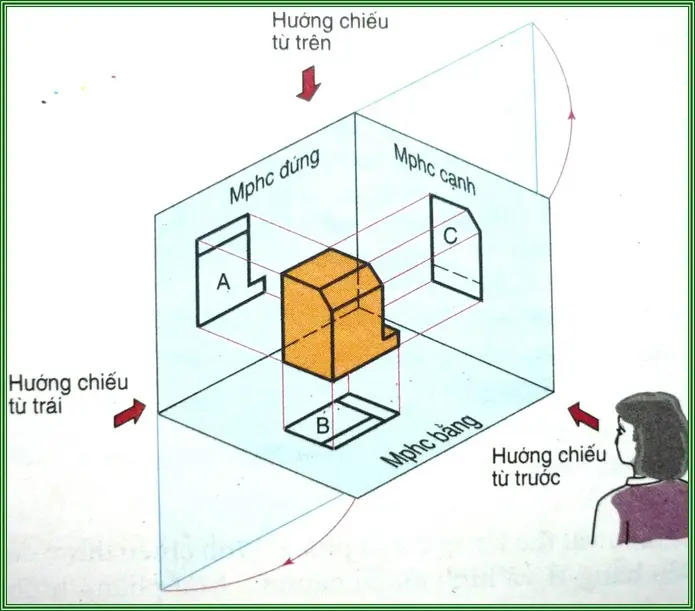
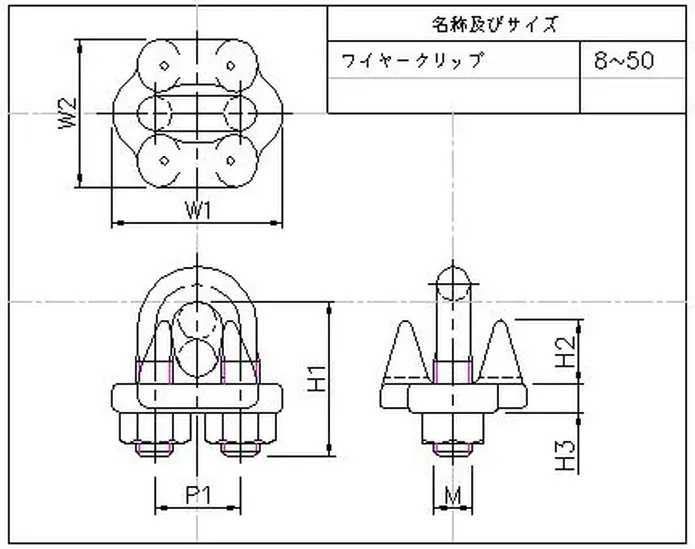
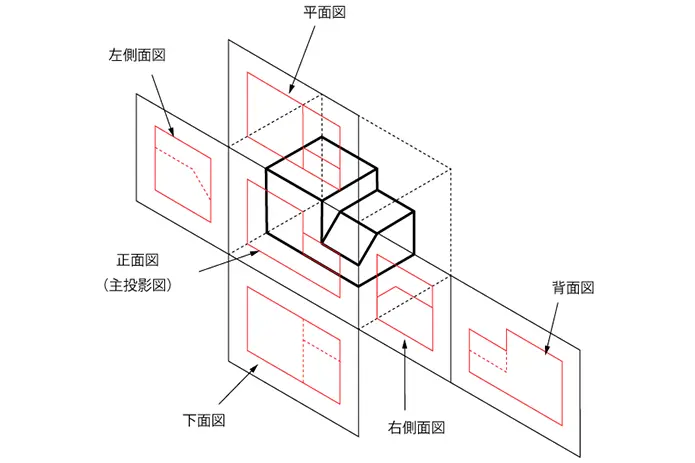
Unlike drawings in Vietnam, Japanese drawings have an edge-to-vertical projection layout and are used according to JIS standards – the 3rd angle projection method (illustration). In addition, when the processing details are complicated to clearly show the requirements to be processed, people will use cutting drawings and extract drawings.
Instructions on how to read Japanese mechanical drawings (JIS)
To understand how to layout and build projections according to JIS standards, please follow the reading below.
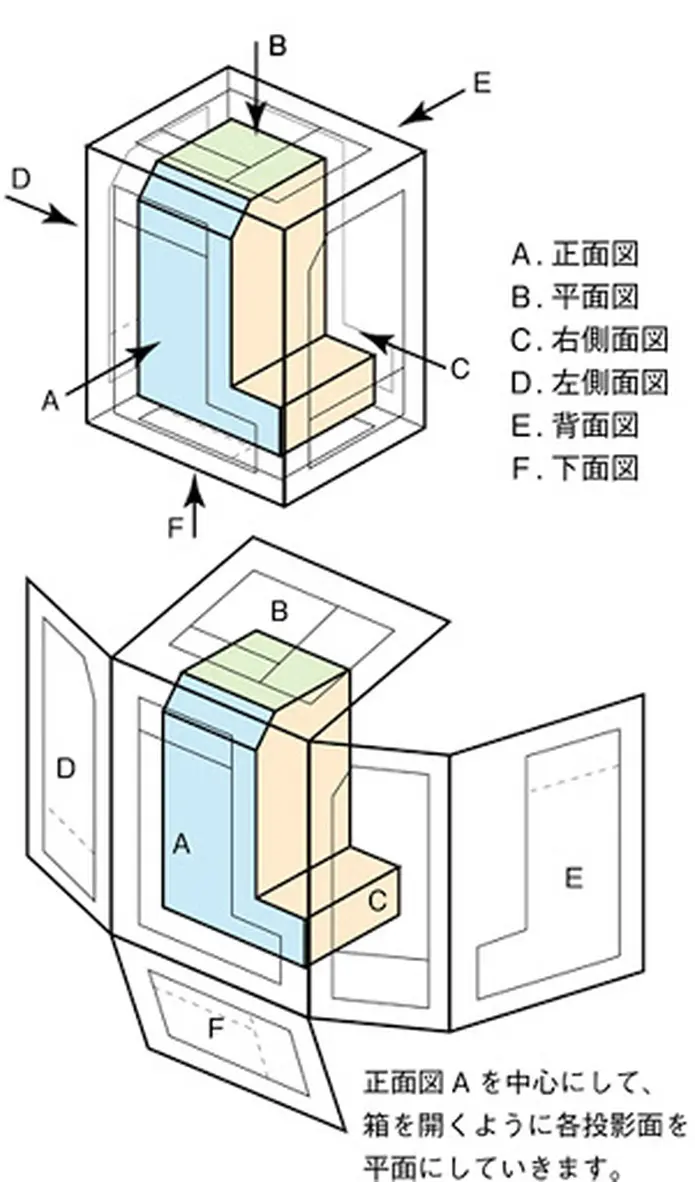
Suppose when there is a rectangular box with the symbol planes in the figure:
- Looking from the outside, you will see the object passing through the planes and showing the faces of the rectangular box with the corresponding lines (visible or hidden).
- If you open the planes of the box (shown below) you will get the corresponding projections of the object on the respective faces.
- The planes of the box that are spread on the same plane will be the projection planes of the object.
As a result, each object will have 6 corresponding planes, but usually only 3 faces are enough. If it’s simple, it’s 2 projections, while it’s complicated, it takes up to 6 faces to be projected and the cut and extracted images to show all the objects. In which, the projection always has the main view to be able to see the whole object.
Draw projection from bright object 2D model
In addition to applying the above standard, you also have to know how to imagine the object to be able to draw accurately and quickly.
– From the object, you will draw the following 2D projections:
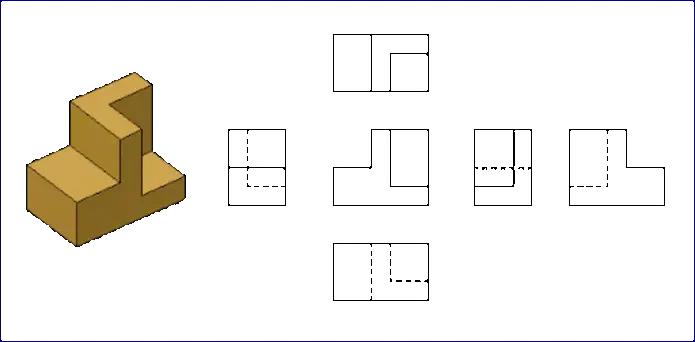
– You will draw and arrange the corresponding projections as above.
When drawing, you must draw the faces that show the most clearly and easily visualize the object. At the same time, limit the dashed directions and the number of projections just enough to visualize the object.
From the projection of 2D models to build real objects
In order to build a real body from a 2D view, technicians need to master the rules of viewing the image above.
From 2D drawings to build objects, you must visualize 3D objects. This is the ultimate goal of reading engineering drawings.
– From the 2D projection, build the object as follows:
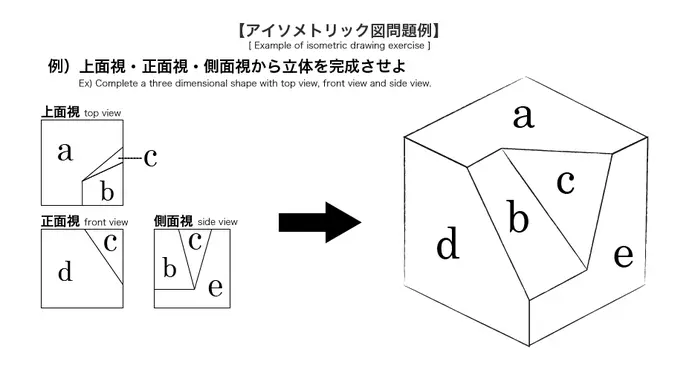
When starting to edit, you should sketch the object from the projection so that the image uses the object. Then, based on the remaining shapes to build the next object, you can cut or add blocks.
Reference source: blog.mecsu.vn
-
Ultra Low Profile AGV IGR-UPA
Price: Contact349,000,000 ₫The Ultra Low Profile AGV IGR-UPA series is manufactured with compact size, low substructure and large capacity , that can provide automatic transportation around the plant with appropriate cost.
-
HIWIN CRB Thin type Crossed Roller Bearing
Price: ContactFEATURE
- 40% decrease in bearing volume, with high rigidity and load capability.
- Suitable for compact and lightweight applications.
- Integrated inner and outer ring.
APPLICATIONS
- Industrial robots.
- Stator winding machines.
- Products and equipment that require a light weight, compact design.
-
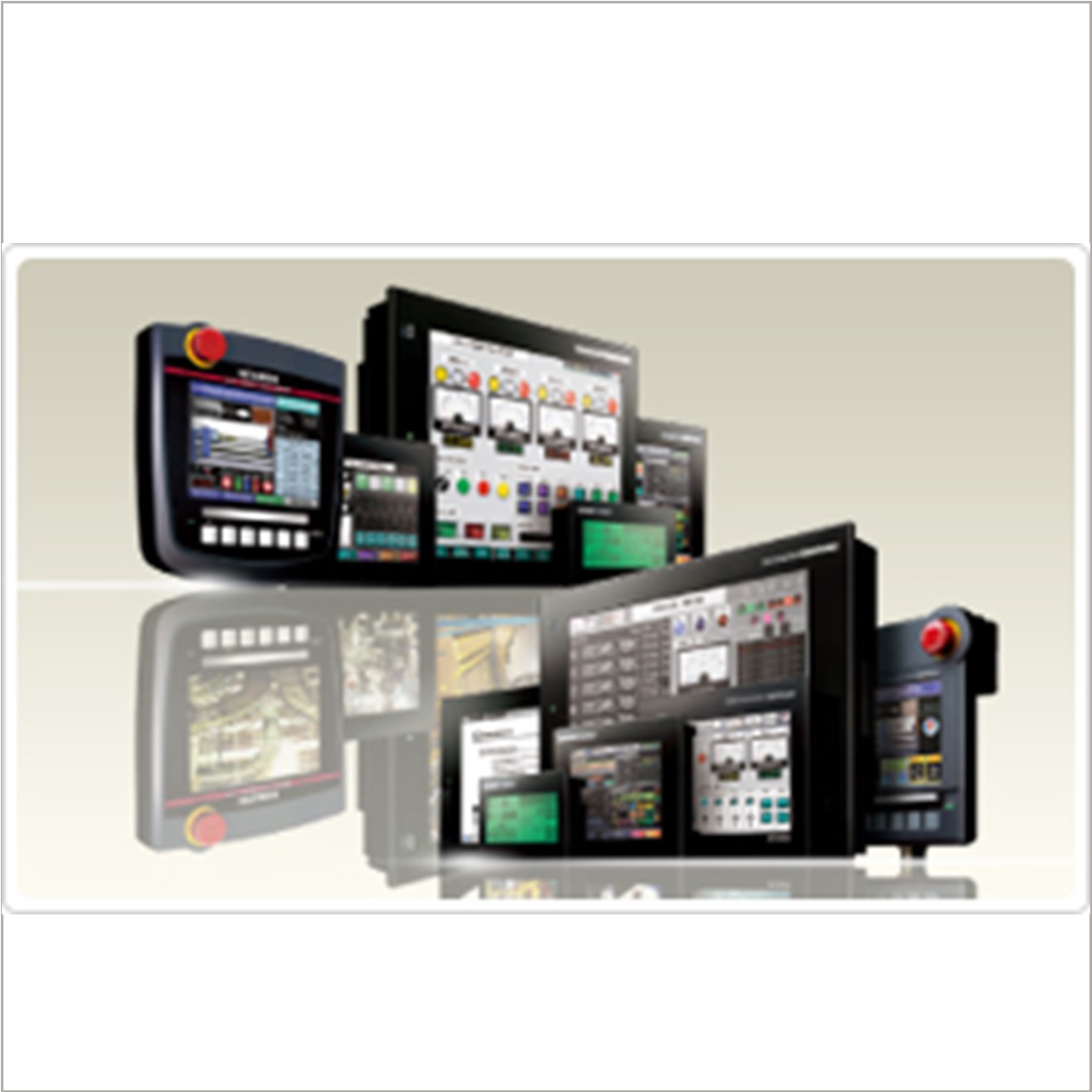
GOT1000 Series
Price: ContactThe GOT1000 delivers the competitive advantage.
The GOT1000 series offers six classes of terminals to fit any system or budget requirement.
-
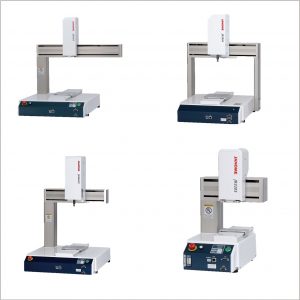
DESKTOP ROBOT JANOME JR3000 SERIES
Price: Contact- Increased Structural Rigidity
- Built-in robot cable; a first for our desktop robots.
- Fieldbus Compatibility
- LAN (Ethernet) port included as standard equipment
- Highly compatible for monitoring camera system installation
- Control up to 4 axes and 2 external motors with the Auxiliary Axis Function (optional)
- Teaching pendant features 11 different display languages
- Original System Software